
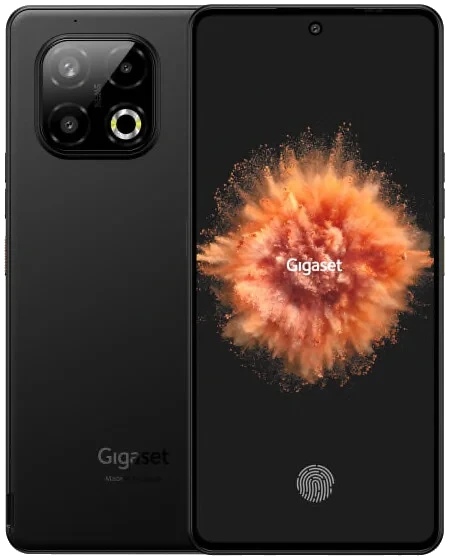
Gigaset GS6_Venus
Edit
Guides
/e/OS Installer
A web application that simplifies installing /e/OS on your phone by guiding you through easy-to-follow steps.
InstallBoot Modes
Recovery
With the device powered off -
Download
With the device powered off - hold Volume Up + Power.
Support the project
Usability
GS6 / GS6 PRO
Apps Compatibility
Device details
up to 2.5 GHz
- 2G bands: GSM B2 / B3 / B5 / B8
- 3G bands: UMTS (WCDMA) B1 / B2 / B5 / B8
- 4G bands: FDD-LTE B1 / B2 / B3 / B5 / B7 / B8 / B20 / B28 / B38 / B40 / B41
- 5G bands: NR n1 / n3 / n5 / n7 / n8 / n20 / n28 / n38 / n41 / n77 / n78
1080x2400 (394 PPI)
OLED, 120Hz, FHD+, 1000 nits peak (max Hz)
- Dual SIM (nano SIM + eSIM)
- NFC
- fingerprint sensor under display
- face recognition
- wireless charging 15W Qi
- USB OTG
- programmable function key
- 64 MP main, F1.79, PDAF, 79°, 6P lens, Dual flash single colour flash
- 8 MP Ultra-Wide, F2.2, FF, 120.2°, 5P lens, Rear flash
- 2 MP Macro, F2.4, FF, 88.8°, 3P lens, Rear flash
- 32 MP, F2.45, FF, 81.1°, 5P lens, Front flash
76 mm (w)
10.5 mm (d)
/e/OS Information
- /e/OS Build Team
- A16 (official)
Disclaimer: We cannot guarantee that all the device specific information on this page is 100 % up to date or accurate.
Read more.