
Maps
Edit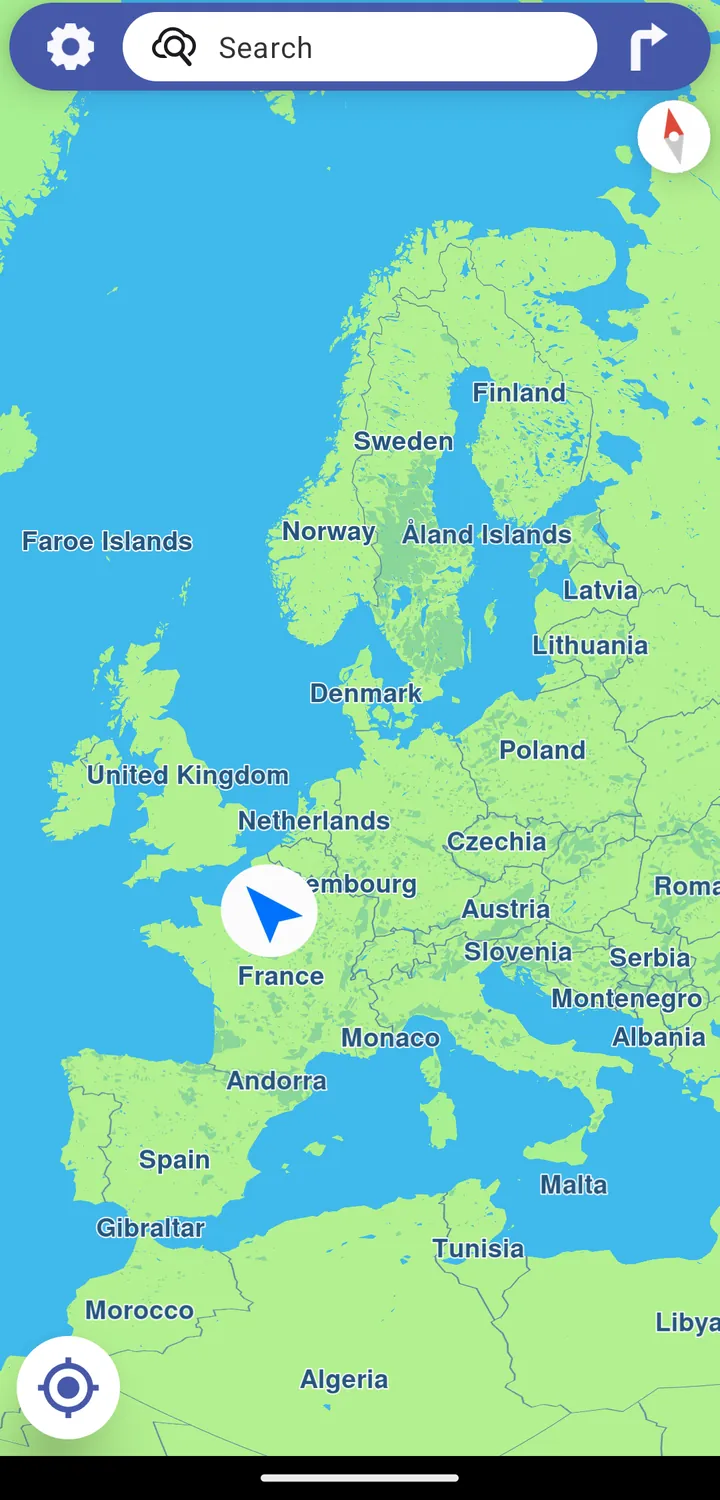
/e/OS comes with a Maps app for searching places and getting turn-by-turn navigation, without the tracking-heavy model of mainstream map apps.
Today, Maps on /e/OS is powered by Magic Earth. In parallel, Murena is building its own open-source maps app — Murena Maps — which is currently in beta and is meant to replace Magic Earth once it is ready.
Magic Earth — the current Maps app
Magic Earth is the maps and navigation app shipped with /e/OS. It offers search, real-time routing for several transport modes, live traffic and offline maps.
It is the only app in /e/OS that is not (yet) open source. We tested many maps applications, and Magic Earth was the only one that could be compared to the well-known mainstream maps apps while respecting privacy. We have discussed this with its publisher, General Magic: they have not decided to go open source yet, but they have shared documentation about the app’s privacy behaviour.
Privacy statement from the publisher (General Magic)
Privacy means Freedom. That’s why we do not collect or share personal information.
The rules applied for sending and storing data are:
- only transmit necessary — so minimal — information from the user to the server;
- where possible, anonymise data already on the phone before sending;
- if pseudonymous info is needed (for example for debugging), only keep it on the server pseudonymously, for as short a period as possible;
- do not create user profiles;
- do not share personal information.
In the ecosystem used, no external service APIs are called, to prevent private-data leakage.
How Magic Earth is integrated into /e/OS
Because the Magic Earth code base is not open source, neither we nor users can browse its source files. The Magic Earth team assures us there are no external APIs that leak user data in their code base.
Updates are delivered as follows: once we receive an APK from the Magic Earth team, we include it in the next /e/OS build. That build is tested for issues, and once a round of testing succeeds, the update is released to all users.
Murena Maps — the open-source successor (beta)
Murena Maps is Murena’s own privacy-focused maps and navigation app for Android. It is open source and built on open data, and it is designed to eventually replace Magic Earth as the default maps app in /e/OS once it is ready.
You can search destinations, plan trips using multiple transport modes, and navigate without relying on the tracking-heavy model of mainstream map apps. It takes an online-first approach, designed around familiar mapping-app habits. On /e/OS, Murena Maps can also sync favourite places with Murena Workspace across devices.
As it is still in beta, you install it yourself for now (it is not pre-installed).
Before you start
- Murena Maps can be installed on Android, not only on /e/OS.
- You need an internet connection.
- You need Obtainium installed on your device.
- When Android asks, allow app installs from the source you use.
- If you previously installed the alpha build, remove it before installing this beta build.
Install via Obtainium (recommended)
Install Obtainium
Install Obtainium from App Lounge (or F-Droid if you are not running /e/OS).
Install Murena Maps
-
On this page from your mobile with Obtainium installed, tap the direct Get it on Obtainium link.
-
In Obtainium, keep
Raw JSONselected and tapContinue.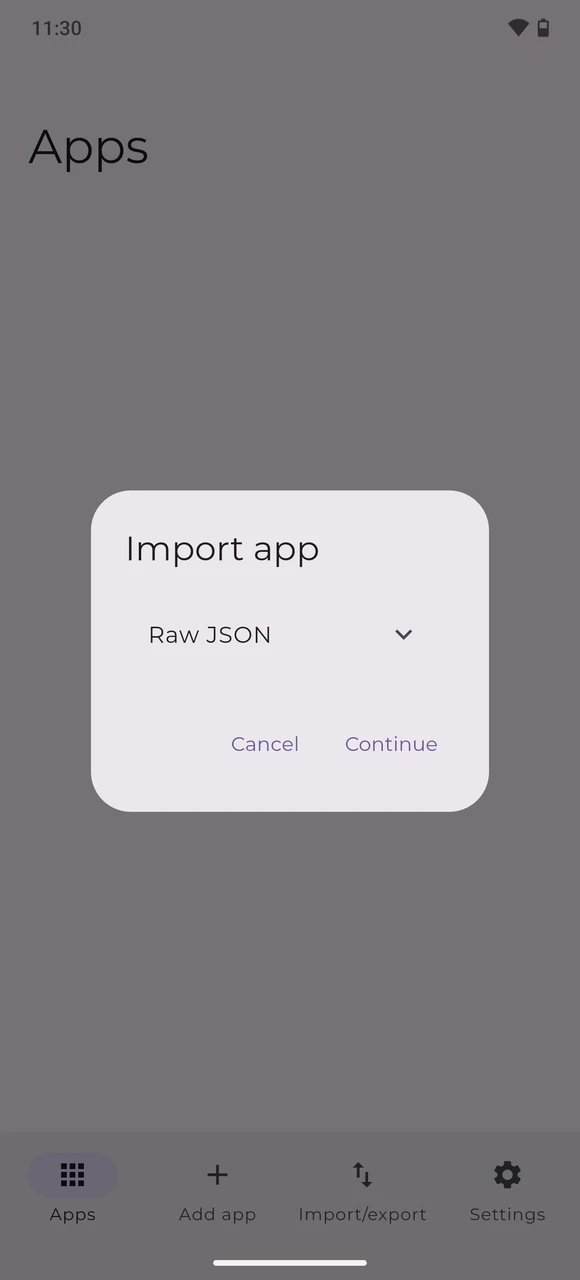
-
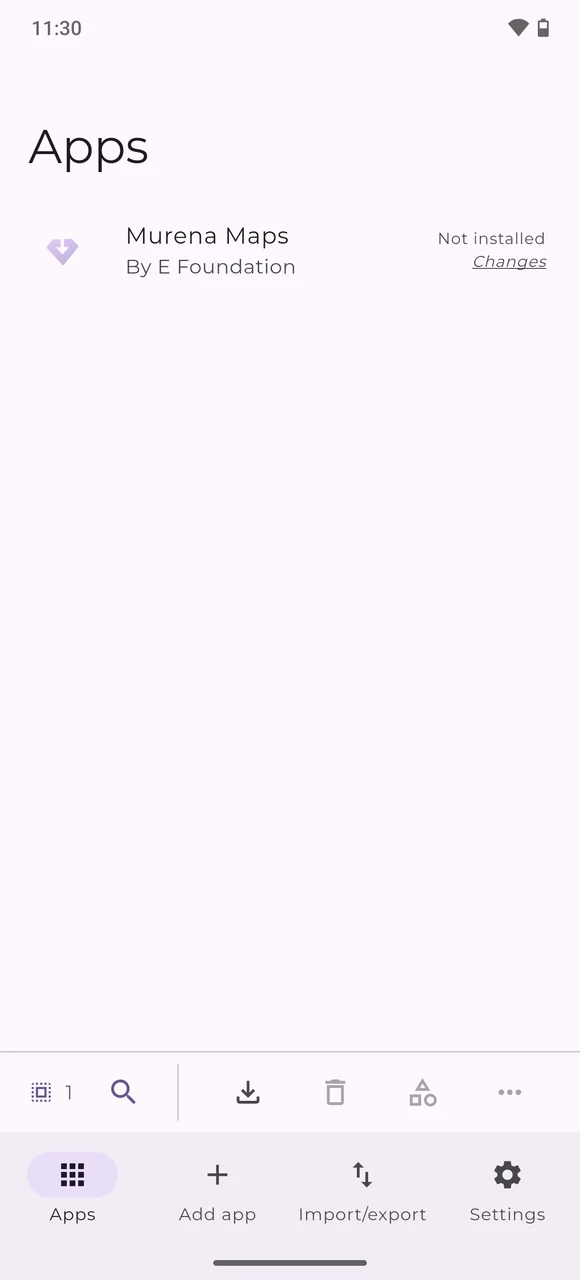
The Murena Maps entry appears in Obtainium. Tap on it to open.
-
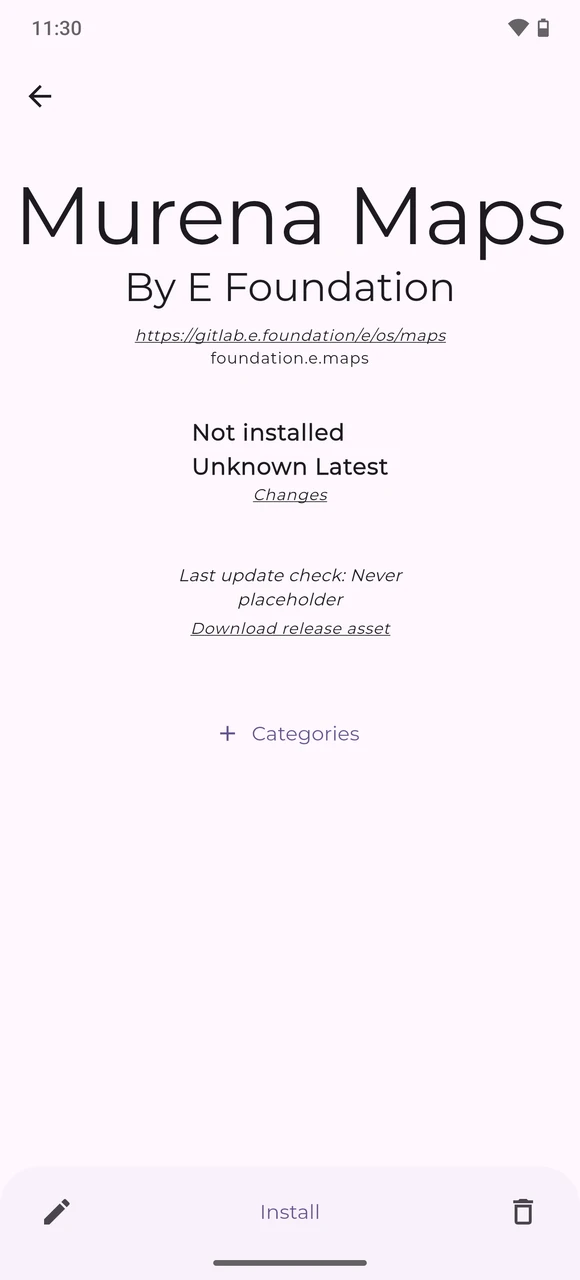
Tap
Install.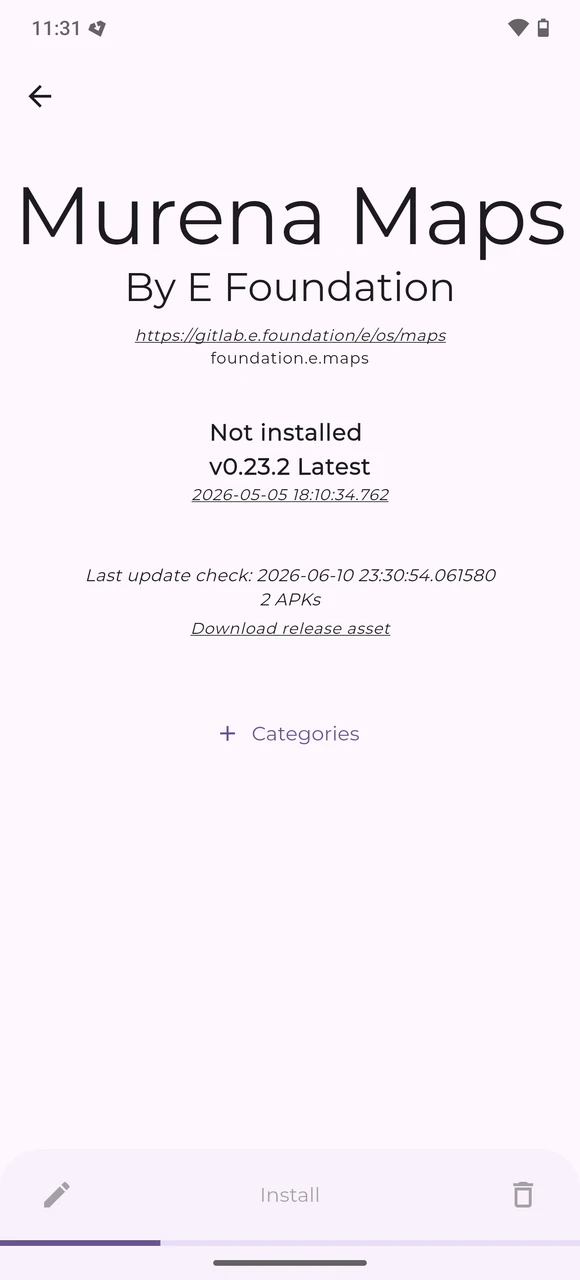
-
Select the ARM64 build
com.murena.maps-arm64-v1.0.0-beta.apkand tapContinue, unless your device specifically requires anx86_64build.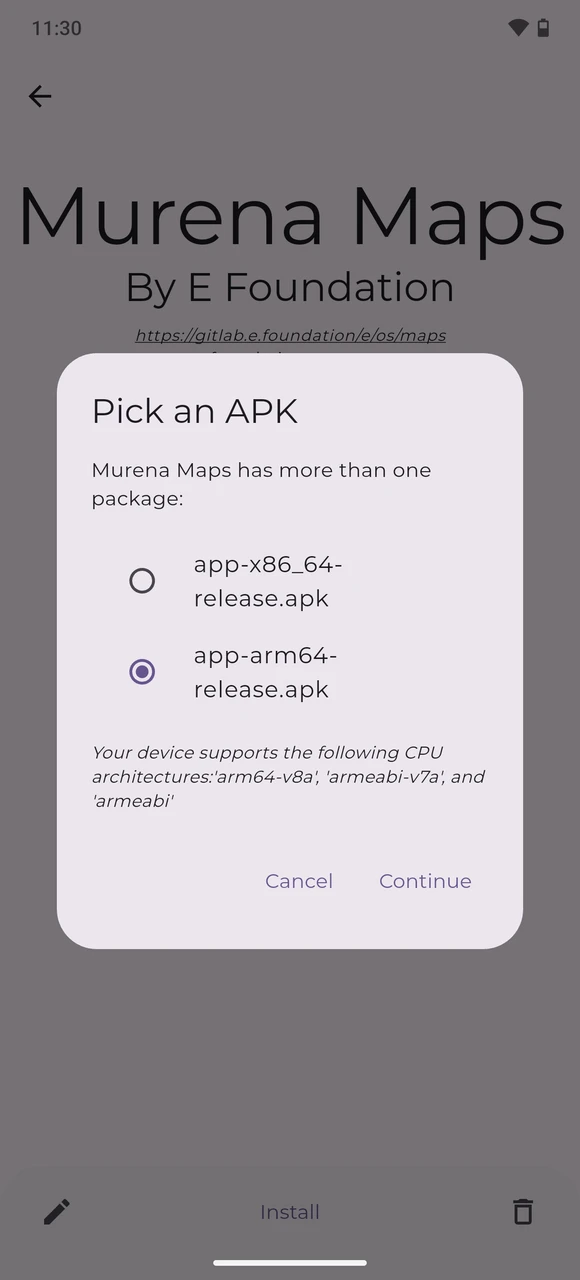
-
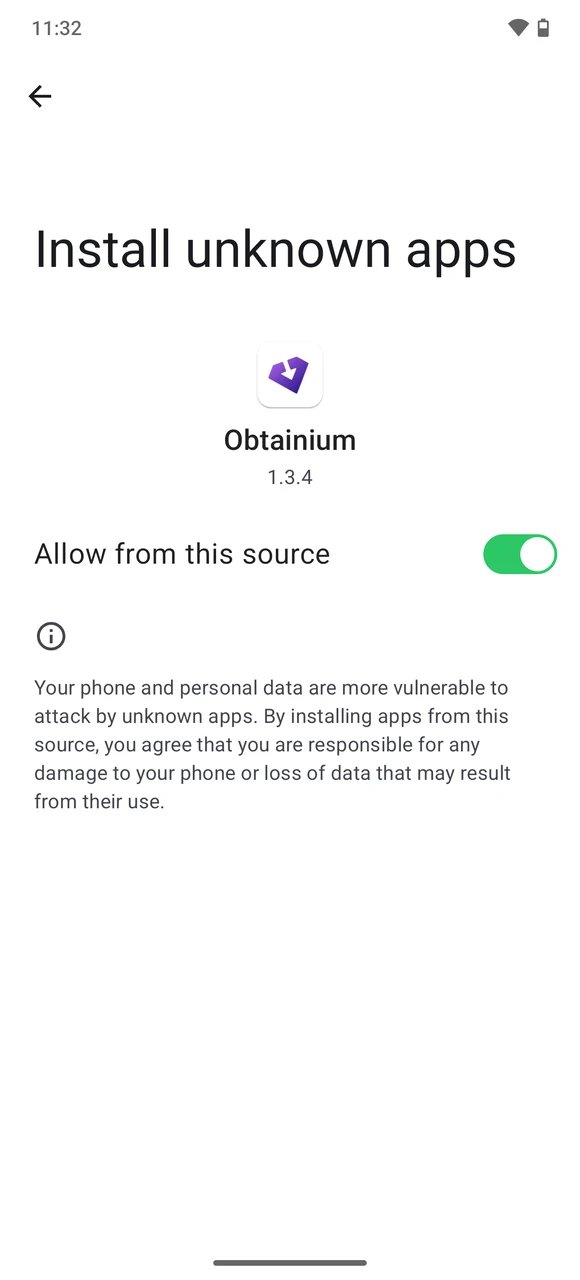
If Android asks you to allow installs from Obtainium, enable
Allow from this source, then go back to Obtainium.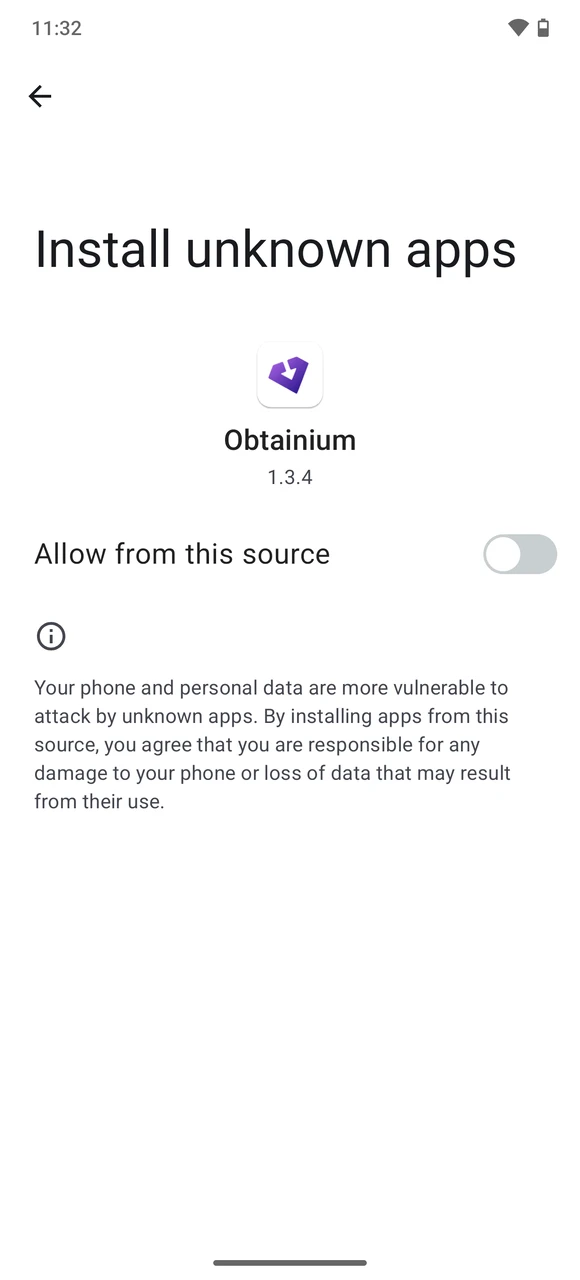
-
When Android shows the package installer, tap
Install.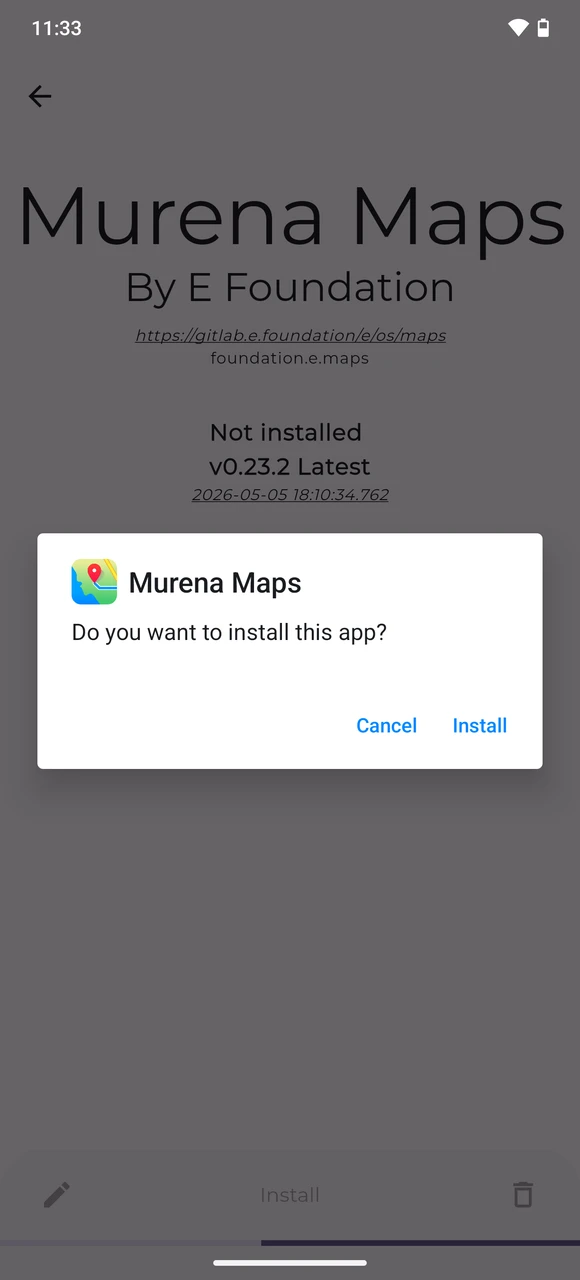
-
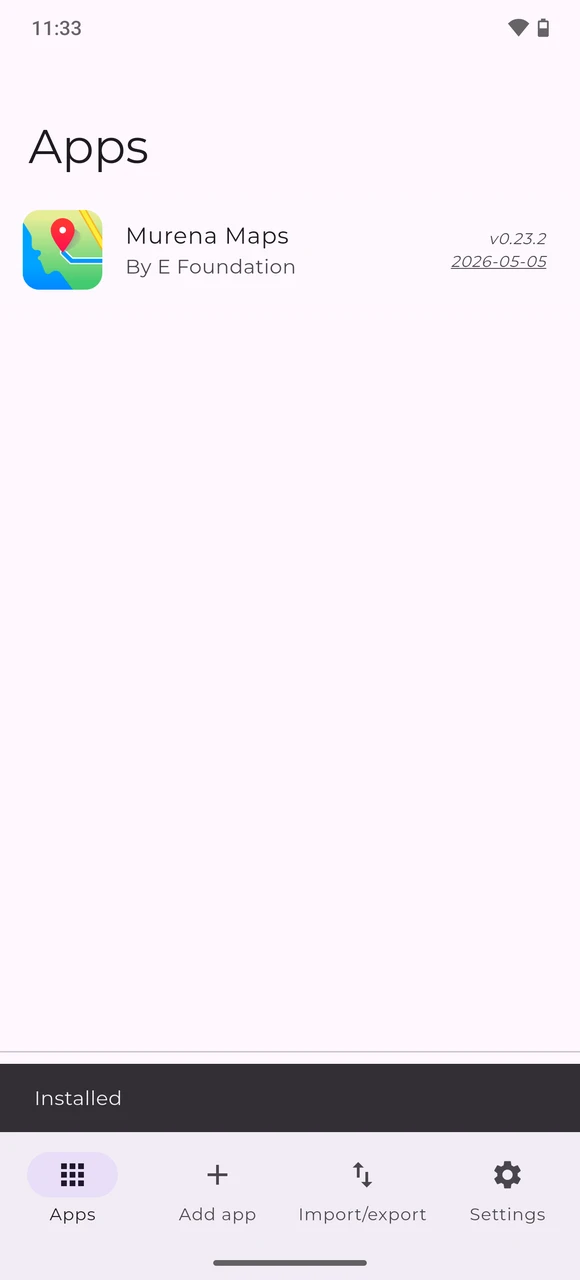
Once installation is complete, Murena Maps will appear as installed in Obtainium.
Use a foreground service for update checking (more reliable, consumes more power).Install manually
Advanced users can also install Murena Maps without Obtainium:
- Open the GitLab Releases page on your device.
- In the release assets, download the ARM64 package (for example
com.murena.maps-arm64-v1.0.0-beta.apk), unless your device specifically requires anx86_64build. - Open the downloaded APK and confirm the installation when Android asks.
Update
Once Murena Maps is added to Obtainium, the latter can check the GitLab project for new releases and notify you when an update is available.
Known beta limitations
Murena Maps is still in beta, so significant improvements are still planned before it can become the default maps app in /e/OS.
- Offline maps and related offline routing features are still under development.
- Android Auto is not part of the first version.
- A web-based companion is planned alongside the Android app.
- Navigation features will continue to improve, including traffic data.
- UI and UX, POI data and search, and location sharing are all planned for later versions.
Learn more
- The Murena Maps source code is available on GitLab.
- Murena Maps is built on open-source software and open data, including OpenStreetMap for map data, MapLibre for rendering, WhosOnFirst for points of interest, and Transitous for public transport data.
For a broader overview of the current beta and the roadmap, see Murena Maps: Your questions and answers.
Need help?
For help, feedback, and discussion, visit the community thread Murena Maps is here in beta! Try it, and help us shape v1.