microG
Edit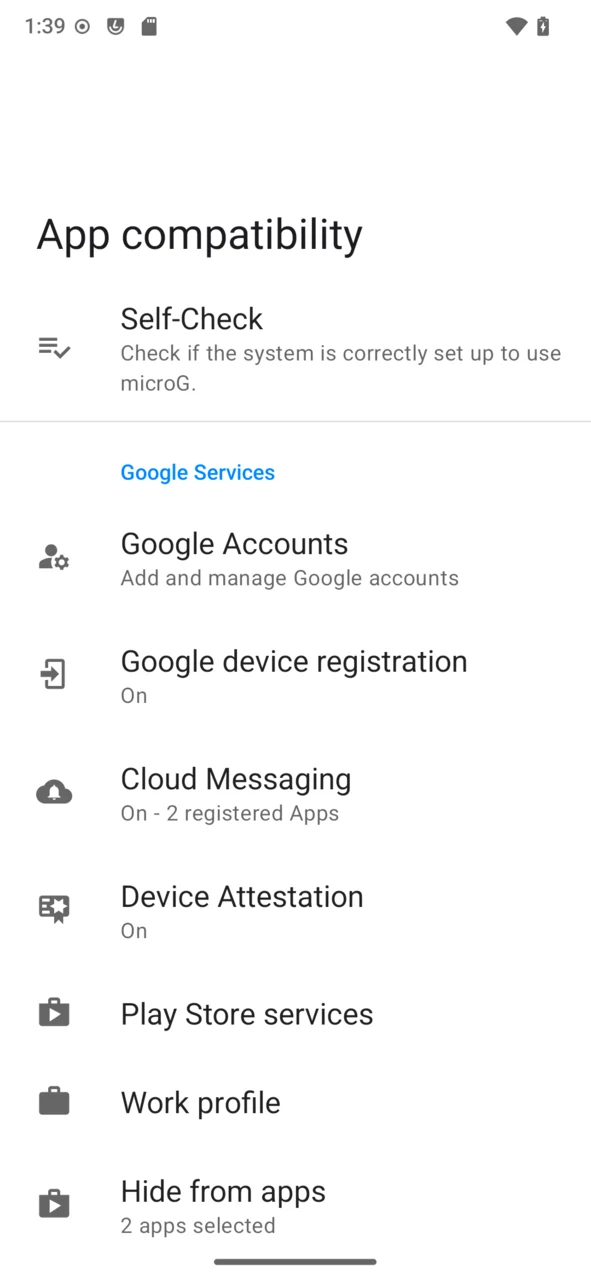
microG is a free and open-source reimplementation of Google Play Services. It lets apps that depend on Google’s services run on /e/OS without a personal Google account, adding a layer of anonymisation between you and Google’s infrastructure.
What microG does
- It provides the Google Play Services APIs that many apps expect — push notifications, location, sign-in, and more — through an open-source framework, GmsCore.
- It lets you keep using popular apps that would otherwise require Google Play Services, while keeping Google’s data collection at arm’s length.
- For most apps, no Google sign-in is needed at all.
microG is a community project; Murena has helped fund it since 2020 and works with its maintainer, contributing features over the years (such as Cloud Messaging / push support).
What /e/OS adds on top
/e/OS ships microG pre-installed and pre-configured — there is nothing to install or set up — and Murena builds a few things on top:
- A privacy-friendly location backend by default. beaconDB is configured out of the box, so network-based location works without querying Google’s location service.
- One-tap Google sign-in through App Lounge. When an app really needs a Google account, you can add it system-wide from App Lounge with a single “Google microG” identity, instead of signing in app by app.
- Extra privacy controls. A master switch to block every connection to Google servers (it overrides the per-service settings), plus an option to route microG’s Google traffic through Tor (via Orbot — not available yet).
- Play Store licensing and contact tracing. microG can answer paid-app licence checks, and the contact-tracing (Exposure Notification) API is present but turned off by default.
Check that it is working
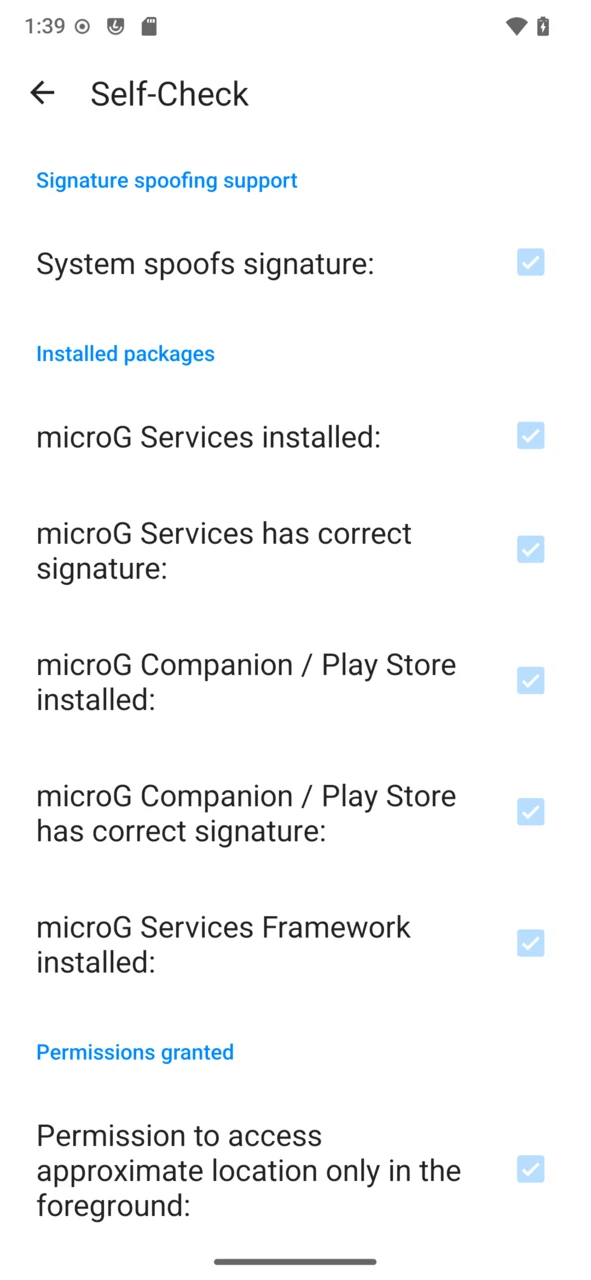
microG works out of the box. You’ll find its settings on the device under Settings → System → App compatibility — the microG service powers that screen. To confirm everything is in order, open the Self-Check there: every item under Signature spoofing support, Installed packages, Permissions granted and System should be ticked.
Passing Play Integrity (Basic)
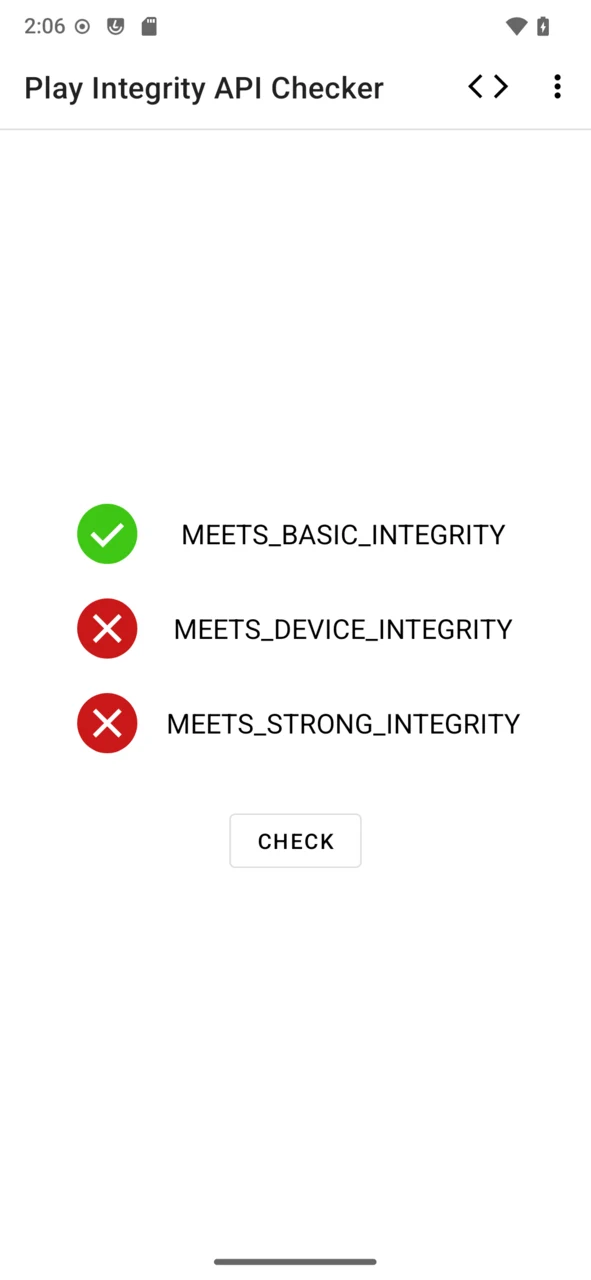
Some apps check the device with Google’s Play Integrity. On /e/OS, microG can pass the Basic verdict; the Device and Strong verdicts require certified hardware and are out of reach. To get Basic integrity:
-
In App Lounge, choose
Sign in with Google, thenSign in with Google system-wide— this adds the Google account to microG for the whole device, not just to App Lounge.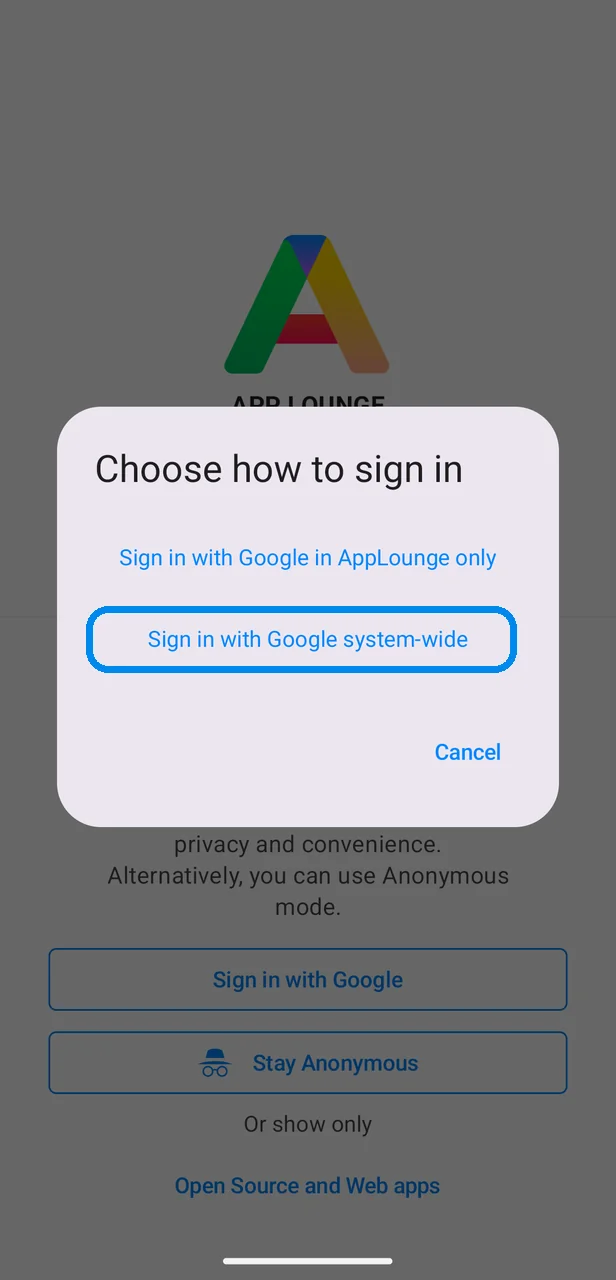
-
/e/OS explains why the Google connection is needed and lets you disconnect it later; tap
Sign into continue to Google’s sign-in page.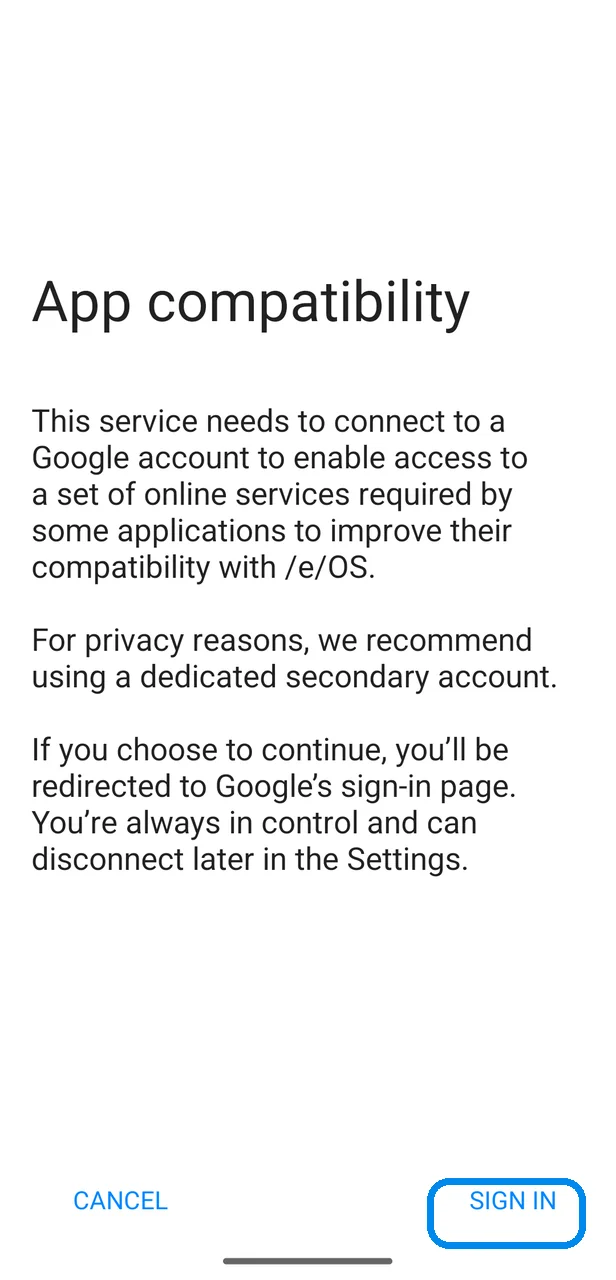
-
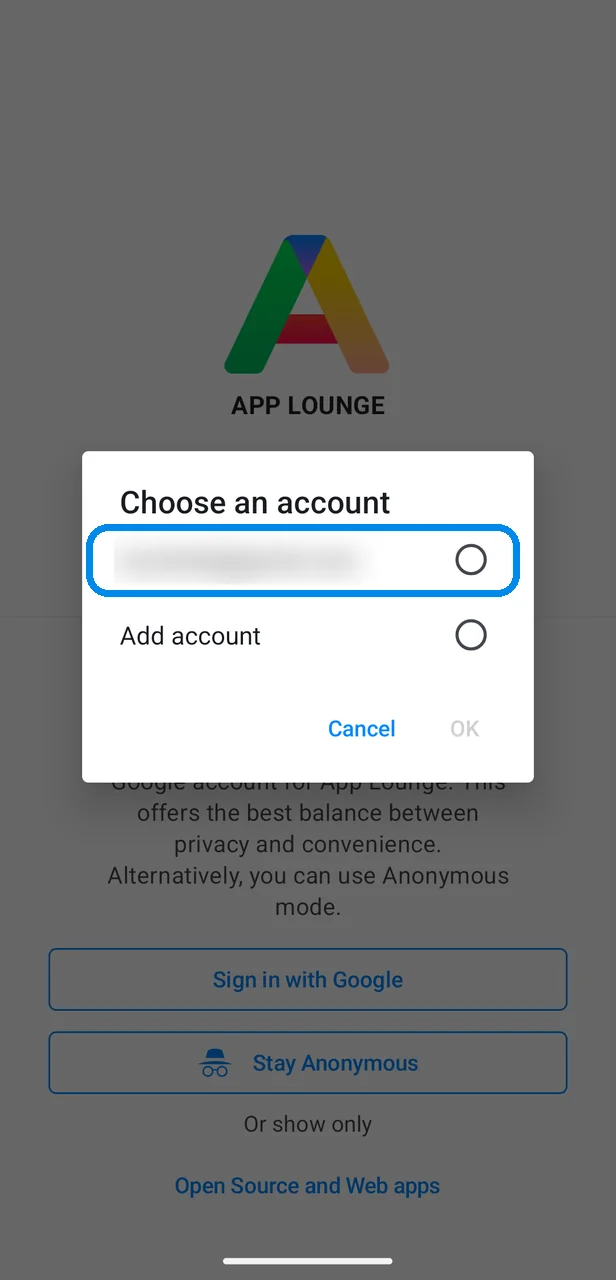
Sign in with your Google account (completing two-step verification if you use it), and pick that account when App Lounge asks.
-
Install an app that requires it — or a checker such as Play Integrity API Checker from App Lounge — and run the check: MEETS_BASIC_INTEGRITY passes.