
Calendar
Edit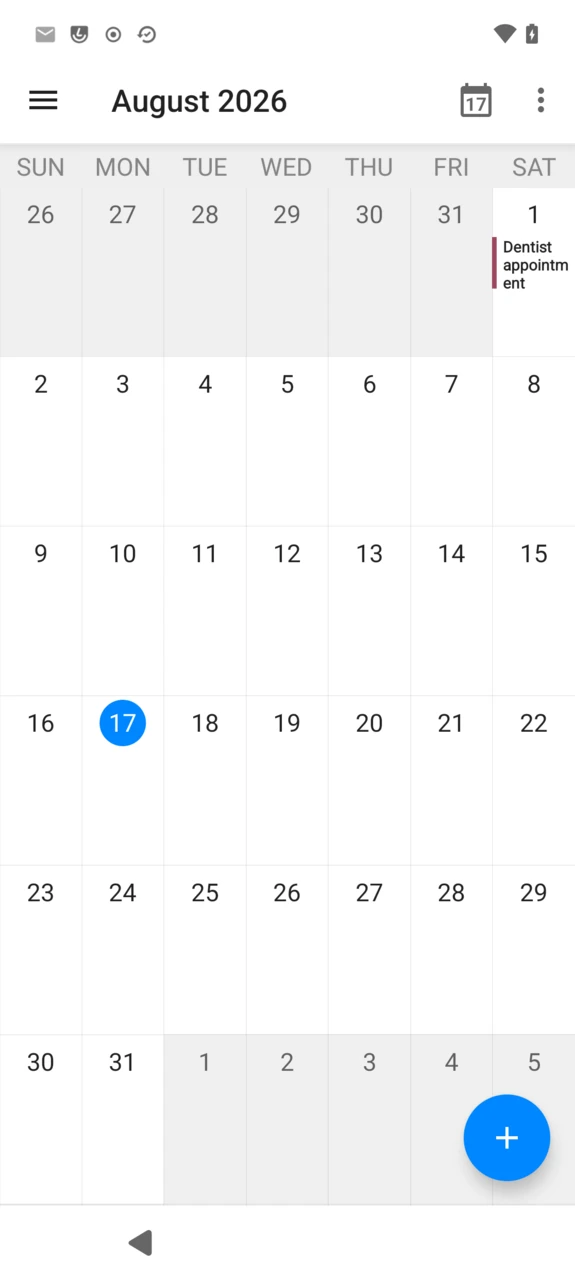
Calendar is the calendar app built into /e/OS, a Murena fork of the open-source Etar Calendar. It has no sign-in of its own: it reads and writes through Android’s calendar storage, so it shows whichever calendars are already synced to the device — plus any offline calendar created directly in the app.
Choose a view
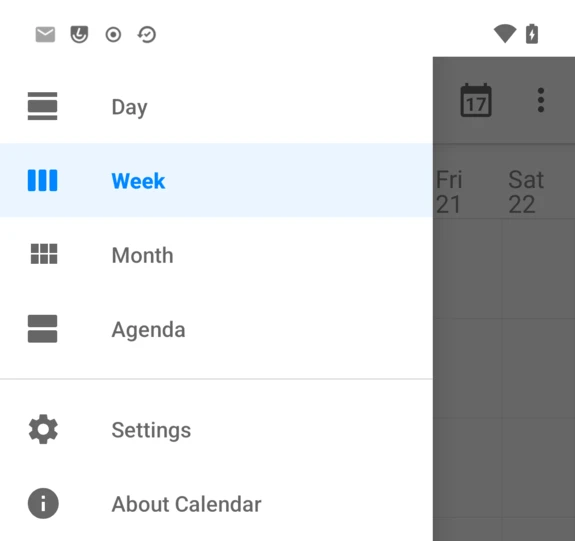
Open the menu (☰) to switch between Day, Week, Month and Agenda, or to jump to Settings and About Calendar.
Create an event
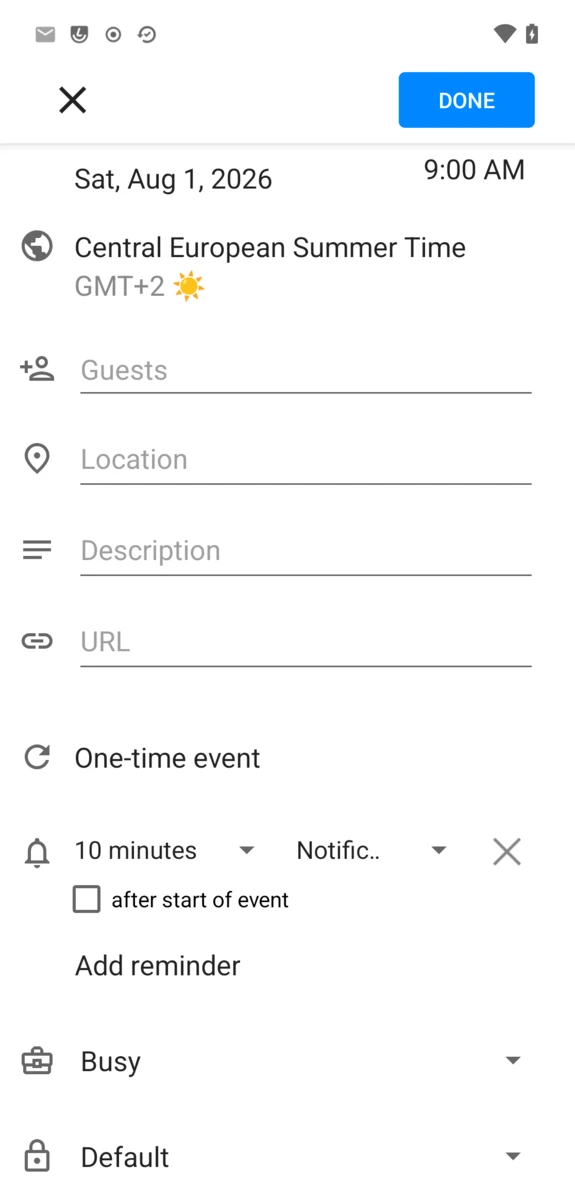
Tap the + button, fill in the event, then DONE.
- Guests, Location, Description, URL.
- Recurrence —
One-time eventby default; tap it to repeat daily, weekly, monthly, and so on. - Reminder —
Add reminderfor as many alerts as needed, each with its own delay and notification style. - Busy/Free, and a Privacy level (
Default,Public,Private,Confidential) for accounts that support it.
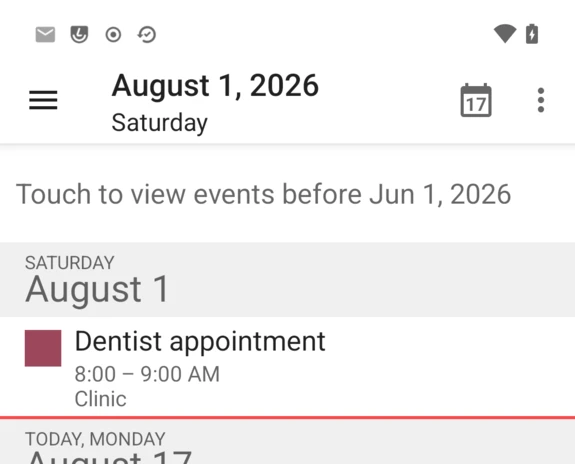
Saved events show up in whichever view you’re on — here in Agenda:
Adding a calendar
Open the menu (☰) → Settings for the list of calendars, grouped by account, with three ways to add another one at the top:
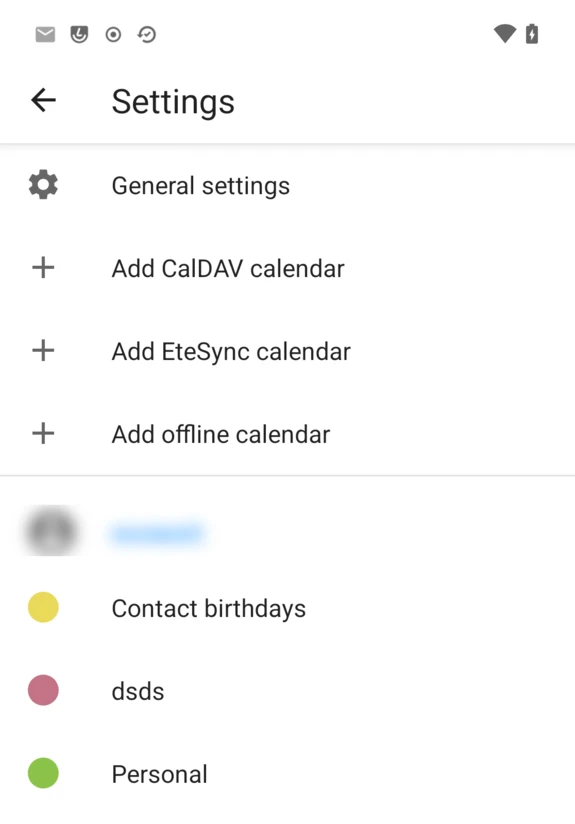
- Add CalDAV calendar — opens Account Manager’s sign-in screen to add a Murena Workspace account, or any other CalDAV/CardDAV server. This is a shortcut into the same account flow described there; a Murena account added this way, or beforehand from
Settings→Accounts, syncs its calendars here without anything else to configure. - Add EteSync calendar — for an EteSync account, if the separate EteSync app is installed.
- Add offline calendar — a local calendar with no account behind it, for anything you don’t want synced anywhere: name it and tap
ADD CALENDAR.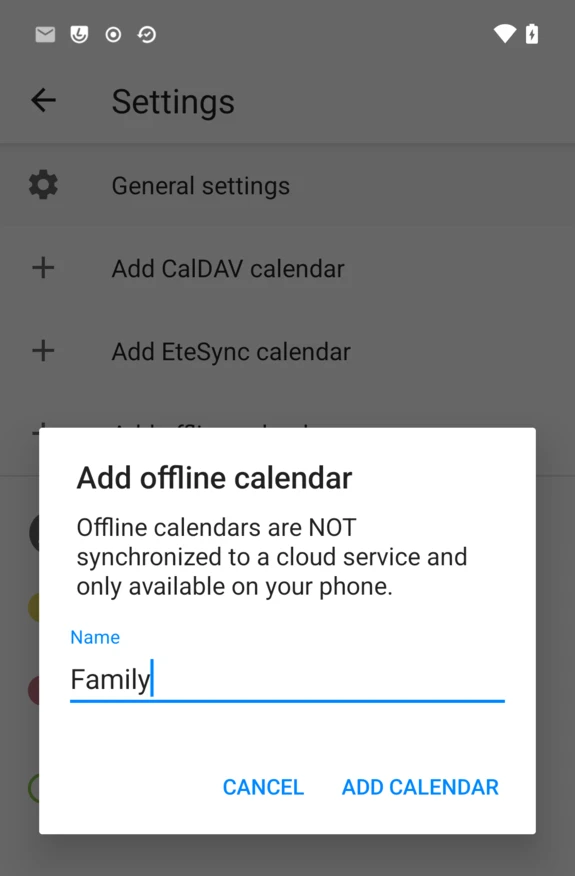
Calendar settings
Tap any calendar in the list above to configure it on its own:
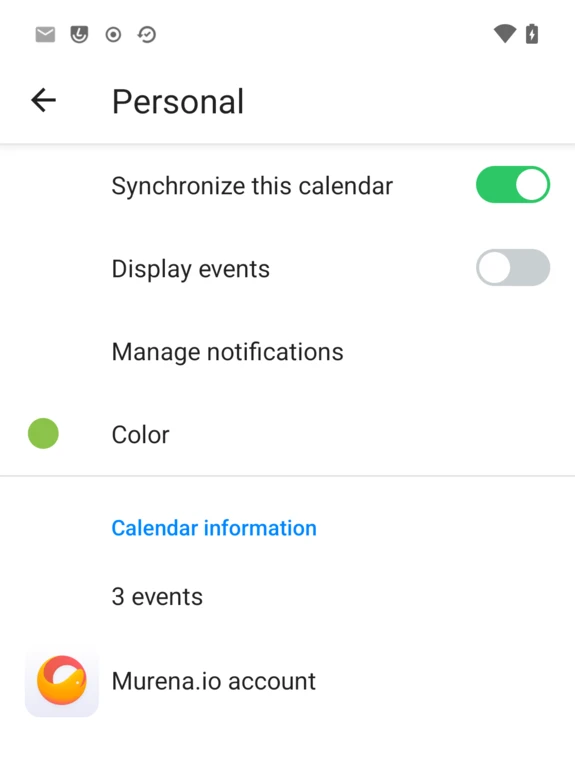
- Synchronize this calendar — turn syncing off without removing the calendar.
- Display events — hide its events from every view without touching sync.
- Manage notifications — the system notification channel for this calendar’s reminders.
- Color — pick from a palette, shown as the small square next to its name everywhere in the app.
General settings, at the top of the same list, covers app-wide preferences: theme, default view, week start day, default event duration and reminder, and notification behavior.
FAQ
I don’t see a “+” to add an event
Make sure at least one calendar is set to Display events — see Calendar settings above. With none visible, Calendar has nowhere to save a new event.
I created a calendar on Murena Workspace and it’s not showing up
Trigger a manual sync: open Settings → Accounts → your Murena account → Account sync, and tap the refresh icon (↻) next to Calendar.
Does Calendar work without any account?
Yes — Add offline calendar creates a calendar stored only on the device, with the same event features as a synced one, just without sync.
Can I use a self-hosted Nextcloud or other CalDAV server?
Yes. Add CalDAV calendar leads to Account Manager’s sign-in, which accepts any CalDAV/CardDAV server, not just Murena Workspace.
Is Calendar open source?
Yes — it’s Murena’s fork of the open-source Etar Calendar.