
Push notifications with UnifiedPush
Edit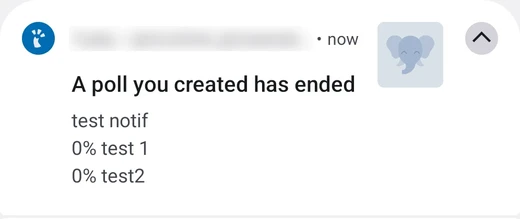
Many apps need to wake your phone up when something happens: a new message, a mention, a calendar invitation. On most Android phones this goes through Google’s push service. UnifiedPush is an open alternative: the notification is delivered by a server you choose, and no Google service is involved.
/e/OS supports UnifiedPush out of the box, and uses the Murena push server (push.murena.com) by default.
How it works
Three parties are involved:
- The app on your phone, for example Tusky.
- The distributor, an app on your phone that keeps one connection open to a push server and hands the notifications to the right app. /e/OS includes one, based on ntfy.
- The push server,
push.murena.comby default. The server of the service you use (for example your Mastodon server) sends the notification to it, and it forwards it to your phone.
When you install an app that supports UnifiedPush, it finds the distributor, asks it for an address on the push server, and gives that address to the service. There is nothing to configure.
Compared with the Google push
| Google push (through microG) | UnifiedPush | |
|---|---|---|
| Server | Google’s | Murena’s, or yours |
| Contacts Google | Yes, anonymously (see Calls to Google servers) | No |
| Supported by | Apps built for Google Play Services | Apps that implement UnifiedPush |
| Setup on /e/OS | None | None |
Some apps, such as Tusky, only support UnifiedPush and have no Google push at all: on /e/OS they use it automatically.
Which apps support it
The UnifiedPush project keeps the list of compatible apps. It includes Mastodon clients such as Tusky, Matrix clients such as Element and FluffyChat, and messaging apps such as Molly.
Use it on /e/OS
- Install an app that supports UnifiedPush, for example from App Lounge.
- Open it and sign in as usual.
- Wait for a notification.
The app registers itself with the distributor included in /e/OS. If several distributors are installed on the phone, the app asks you to choose one: pick ntfy.
Expert mode: use your own server
You can host your own push server and make /e/OS use it instead of push.murena.com. This is meant for people who already run their own services.
Set up the server
The /e/OS distributor talks to a standard ntfy server. Install it by following the ntfy documentation, then check these points:
The server must be reachable from the Internet over HTTPS, with a valid certificate. The service you use (Mastodon, Matrix…) sends the notifications to it, so a server reachable only from your home network will not work.
The services publish to topics whose name starts with
up, without an account. If you run a private server (auth-default-access: deny-all), allow everyone to write to these topics, as explained in ntfy’s UnifiedPush example:ntfy access '*' 'up*' write-onlyYour phone still has to be allowed to read them: add your account in the distributor’s Manage users setting.
Think about the limits of the server (number of topics, requests per visitor) if many people will use it, see ntfy rate limiting.
Point /e/OS to your server
The distributor has no icon on the home screen. To reach its settings, enable USB debugging, connect your phone to a computer with adb and run:
adb shell am start -n foundation.e.ntfy/io.heckel.ntfy.ui.MainActivity
Then:
- Tap the three dots menu, then Settings.
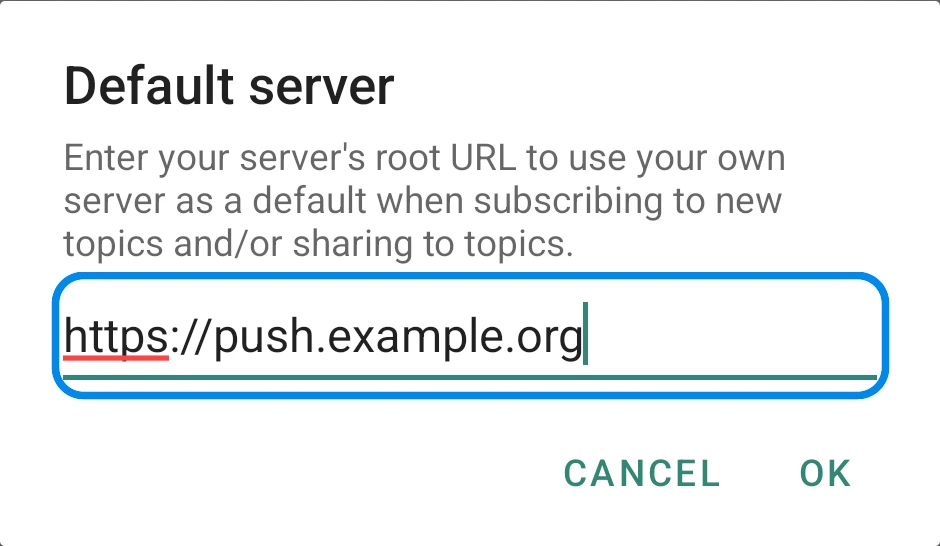
- Tap Default server.
- Enter the root URL of your server, for example
https://push.example.org, and tap OK.
The new server is used for the apps that register afterwards. An app that is already registered keeps the address it was given: to move it to your server, reinstall it, or remove its registration if the app offers it.
To go back to the Murena push server, empty the Default server field.