
Tasks
Edit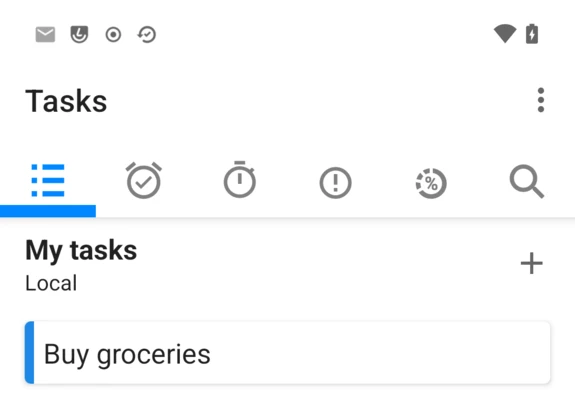
Tasks is the to-do app built into /e/OS, a Murena fork of the open-source OpenTasks. Like Calendar, it has no sign-in of its own: it lists whichever task lists are already synced to the device, plus any local list created directly in the app.
Create a task
Tap +, fill in the task, then SAVE.
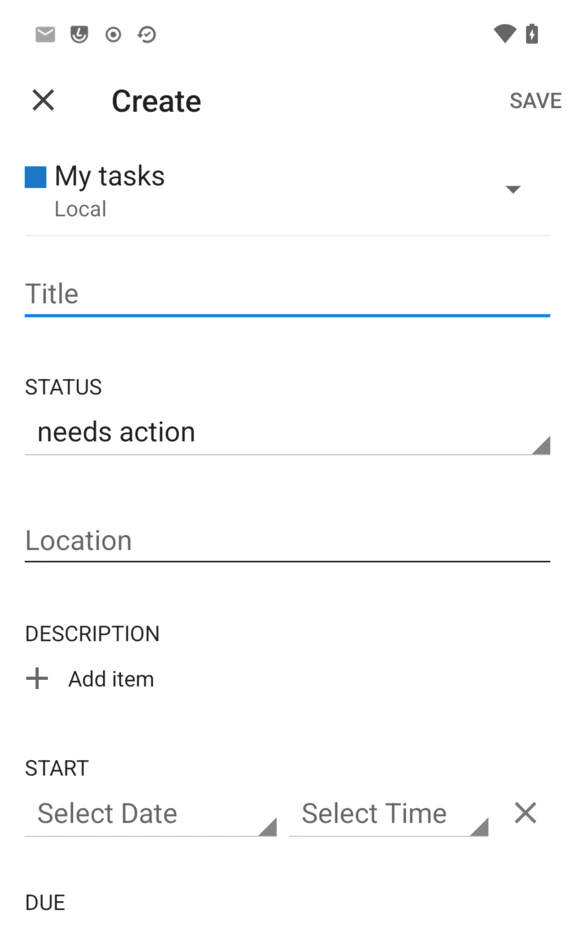
- Status —
needs action,in process,completedorcancelled. - Location and Description — the description field also has
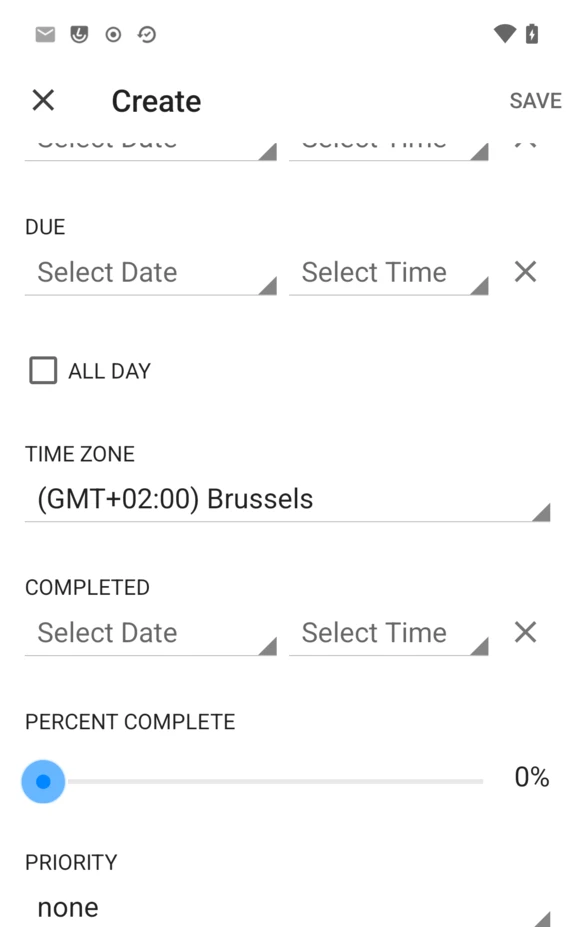
Add itemfor a checklist. - Start and Due, each with its own date and time.
- Percent complete — a slider from 0 to 100%.
- Priority —
none,low,medium,highorurgent. - Privacy and URL, for accounts that support them.
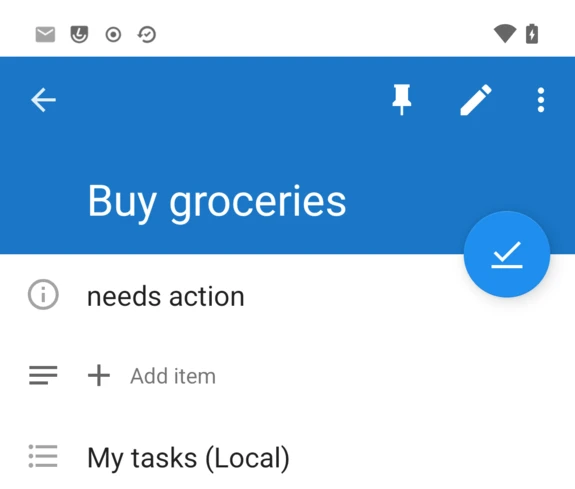
Tap a saved task to see it, check it off with the round button, edit it with the pencil, or delete it from the overflow menu:
Browse by due date, start date or priority
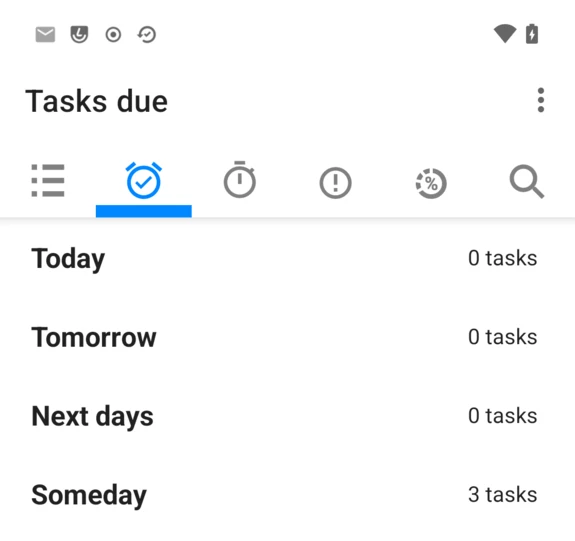
Beside the list icon, four more tabs group every task a different way: Due (Today, Tomorrow, Next days, Someday), Start (Already Started, Today, Tomorrow, Someday, Later), Priority (High, Medium, Low, No priority), and a Progress view — plus a search icon to find a task by name.
Adding a task list
Open the overflow menu (⋮) → Settings for the list of task lists, each with a color and its account underneath, and a + to create a local one — no account needed, with a note that local lists don’t sync.
A Murena Workspace account added through Account Manager, or beforehand from Settings → Accounts, syncs its task lists here without anything else to configure.
Settings
From the same overflow menu (⋮):
- Displayed Lists — show or hide individual lists across the app.
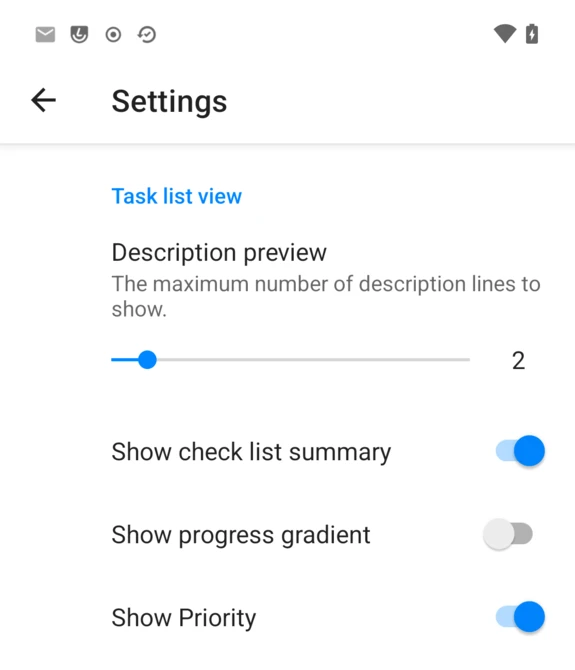
- Settings → Notifications and Appearance: description preview length, and toggles for showing the checklist summary, a progress gradient, and priority on each task row.
- Show completed tasks — include finished tasks in the list view.
- Refresh — force a manual sync.
FAQ
Does Tasks work without any account?
Yes — My tasks (Local) is a device-only list, offered by default with the same fields as a synced one, just without sync.
Why can’t I find subtasks?
Tasks doesn’t support subtasks. Use the description field’s Add item for a simple checklist inside a task instead.
I created a task list on Murena Workspace and it’s not showing up
Trigger a manual sync: open Settings → Accounts → your Murena account → Account sync, and tap the refresh icon (↻) next to Tasks, or use Refresh from Tasks’ own overflow menu.
Can I use a self-hosted Nextcloud or other CalDAV server?
Yes, the same way as Calendar: add the account through Account Manager, which accepts any CalDAV/CardDAV server, not just Murena Workspace.
Is Tasks open source?
Yes — it’s Murena’s fork of the open-source OpenTasks.